

Free Budget Trackers That Actually Help You Save Money (Our Favorites)
This post may contain affiliate links. We may earn a small commission at no extra cost to you. Affiliate Disclosure.
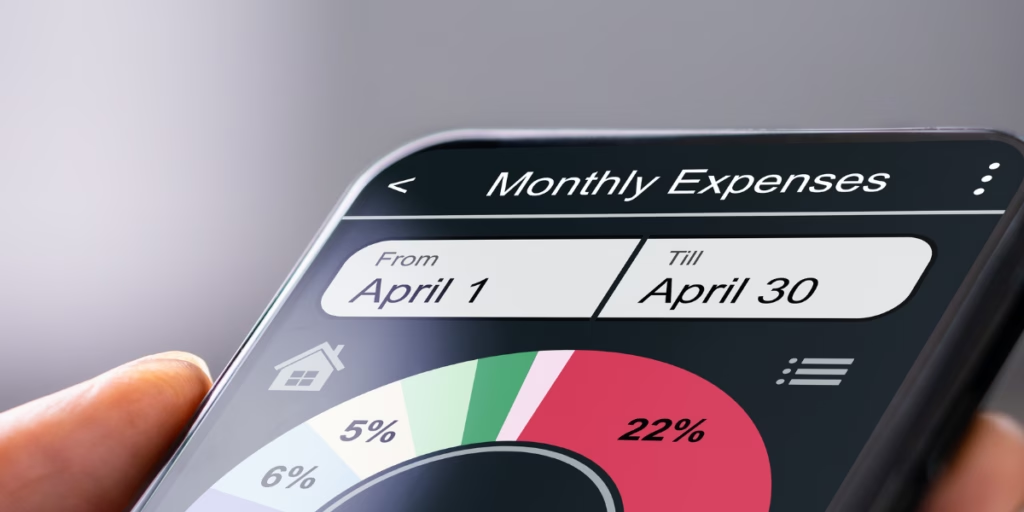
Budgeting sounds boring. Saving money is not. And the fastest way we’ve found to save more (without feeling miserable) is using simple tools that show where our money is really going. That’s why we love free budget trackers.
No subscriptions. No complicated apps you’ll forget about. Just easy trackers you can print, fill out, or plug into a spreadsheet so you can see what’s happening with your money at a glance.
Why we’re obsessed with free budget trackers
Because they make it easier to:
- spot the categories eating up your cash (hello, “quick” trips to the store)
- plan ahead for bills and surprises
- set realistic goals without overthinking it
- actually stick with it, because the tool is simple
Our favorite free budget trackers (with links)
First off you need to grab our Free Printable Household Budget Organizer!
It helps you keep the household budget under control. If you need more help, here are some great options. Find the one that is best for you and your family!
1) Printable budget worksheets (quick + beginner-friendly)
If you want something you can print and fill out in 10 minutes, start here:
- Consumer.gov “Make a Budget” worksheet (PDF)
— super simple and easy to start. - CFPB Monthly Budget tool (PDF)
— great if you want a clean monthly snapshot.
2) Spreadsheet budget trackers (our go-to for staying consistent)
If you like totals adding up automatically (and seeing the numbers without doing math), these are solid:
- Vertex42 Personal Budget Spreadsheet (Excel / Google Sheets)
— easy categories, easy tracking. - Vertex42 Personal Monthly Budget
— compare planned vs. actual spending. - Vertex42 Expense Tracker
— perfect if you just want to track spending without “budget guilt.” - Vertex42 Simple Budget Worksheet
— great “starter” spreadsheet if you want minimal setup.
3) Google Sheets budget templates (free + easy to edit from your phone)
If you want a free template you can customize, these are handy:
- Smartsheet: Free budget templates for Google Sheets
— includes monthly, weekly, zero-based, and 50/30/20 options.
4) More free templates (tons of options)
- Microsoft: Free budget templates library
— lots of formats if you like Excel templates. - Vertex42: Free budget templates hub
— more options if you want household, family, and other trackers.
Tips & tricks to make a budget tracker actually work
Pick the easiest tracker first
Don’t pick the “perfect” tracker. Pick the one you’ll use. If you hate apps, print it. If you hate paper, use a spreadsheet. The best tool is the one you’ll open again next week.
Start with the “big three” categories
If you only track three things at first, do these: groceries, eating out, and subscriptions. Those are usually the easiest places to find money without feeling deprived.
Check in once or twice a week (not daily)
Weekly check-ins are enough for most people. Set a reminder, pour a drink (coffee counts), and do a quick 10-minute update.
Give yourself “fun money” on purpose
Budgeting is easier when you’re not banning everything you enjoy. Even $10–$25 a week helps you stay consistent.
Use “sinking funds” for the stuff that always pops up
Car repairs, birthdays, school stuff, holidays… it’s not “unexpected” if it happens every year. Add a small line item each month so it doesn’t wreck your budget later.
Quick “pick one” guide
- If you want the simplest option: printable worksheet (start today)
- If you want totals to auto-add: spreadsheet budget
- If you want to edit from your phone: Google Sheets template
If you’re trying to save money, pay down debt, or just stop wondering where your paycheck went, free budget trackers are one of the easiest tools out there. Start simple, stay consistent, and let the tracker do the heavy lifting.