
The “Cancellation Trick” to Score Cheap Amazon Streaming Channels
This post may contain affiliate links. We may earn a small commission at no extra cost to you. Affiliate Disclosure.
How to get Cheap Amazon Streaming Channels
I post streaming deals constantly, but here is the catch: that special pricing usually only lasts for a few months before the price jumps back up.
To keep our household streaming fees to an absolute minimum, I use this “Cancellation Trick” almost every single month!
How the “Cancel Trick” Works:
Streaming services hate losing subscribers (“churn”). To keep you from leaving, their systems are often programmed to offer an instant “retention deal” the moment you try to hit the cancel button.
- Start a Trial or Subscription: Sign up for an Amazon Prime Video Channel (like Paramount+).
- Wait 24 Hours: Let the system register your active subscription.
- Go to Manage Your Channels: Head to your Prime Video Channel settings.
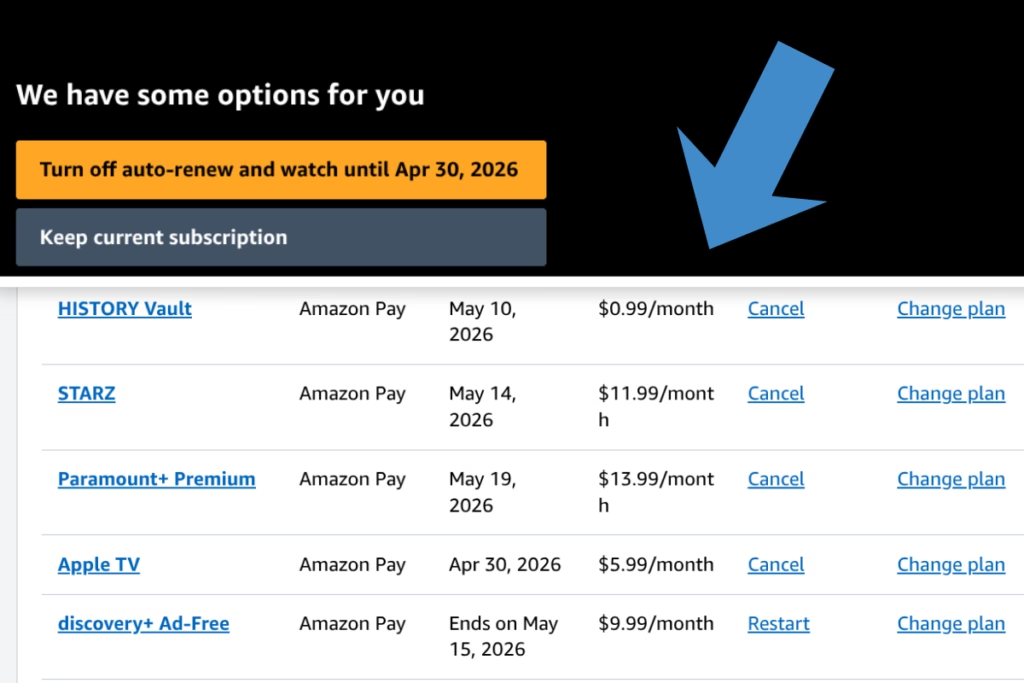
- Click “Cancel Channel”: It will ask you why you are leaving. Select “Too Expensive” or “Not enough content.”
- Watch for the Offer: Before the final confirmation, a box will often pop up saying: “Stay for 50% off for the next 3 months!” or “Get your next month for $0.99!”
Pro-Tips for Success:
- Timing Matters: This trick works best toward the end of your billing cycle or right before a free trial expires.
- The “Incognito” Method: If you don’t see an offer, don’t worry! Sometimes simply canceling and waiting a few days will trigger a “We Miss You” email with an even better discount (like 2 months for $0.99).
- Stack the Savings: Use this during Prime Day or Black Friday. If you sign up for a $0.99 promo and then try to cancel, they might offer you another month for free just to stay!
Amazon Streaming “Cancel Trick” FAQ
Q: Does this work every time?
A: Not 100% of the time, but it works often enough to make it worth trying. It depends on the specific channel and whether they are currently running a “retention campaign.”
A: Not 100% of the time, but it works often enough to make it worth trying. It depends on the specific channel and whether they are currently running a “retention campaign.”
Q: If I accept the offer, can I cancel again later?
A: Yes! You aren’t locked into a contract. You can take the 3 months at 50% off and then set a reminder to cancel for real once that discount period ends.
A: Yes! You aren’t locked into a contract. You can take the 3 months at 50% off and then set a reminder to cancel for real once that discount period ends.
Q: Will I lose access to my shows immediately?
A: If you click “Cancel” and *don’t* get an offer, you usually still have access until the end of your current billing period. If you accept a retention offer, your service continues without interruption at the new lower price.
A: If you click “Cancel” and *don’t* get an offer, you usually still have access until the end of your current billing period. If you accept a retention offer, your service continues without interruption at the new lower price.
Q: Can I do this on the mobile app?
A: It is much more reliable on a desktop browser. The mobile app sometimes skips the “retention” screens to make the interface cleaner. Use a computer for the best results!
A: It is much more reliable on a desktop browser. The mobile app sometimes skips the “retention” screens to make the interface cleaner. Use a computer for the best results!
Love Amazon Hacks?
Check out our full guide to getting the most out of your Prime Membership!